When a link doesn't fill in
Updated Works onWebiPhone
A few shops don't publish their product details, so iFancy can't read them. Add the name, price and a photo yourself, and the link still works for whoever buys it.
How to do it
After Fetch Data, the box under the link says Nothing came back.
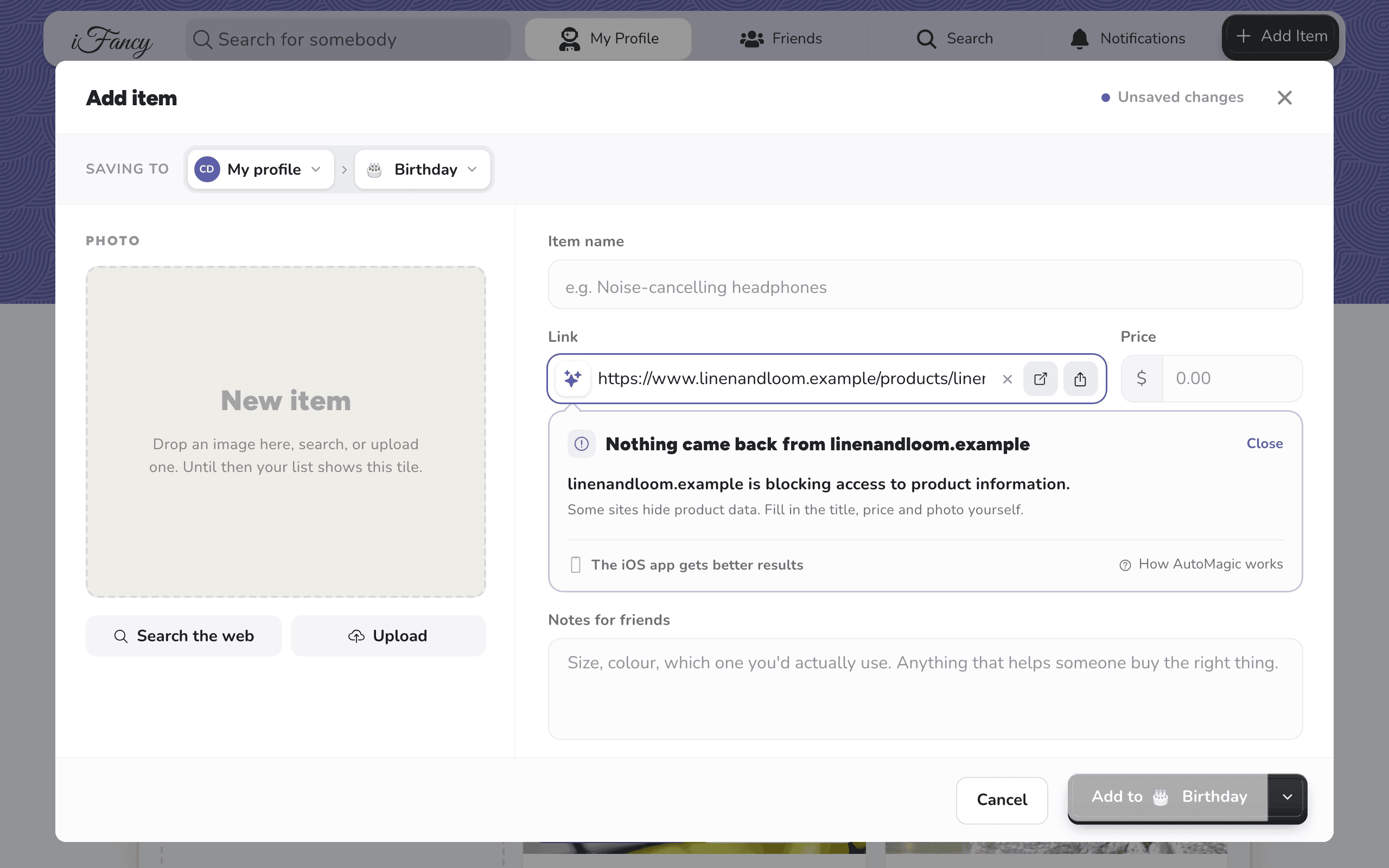
Type the item's name and price yourself.
For a photo, click Search the web to find one by the item's name, or Upload to use your own. Then click Add to your list.
After Fetch Data, the box under the link says Nothing came back.
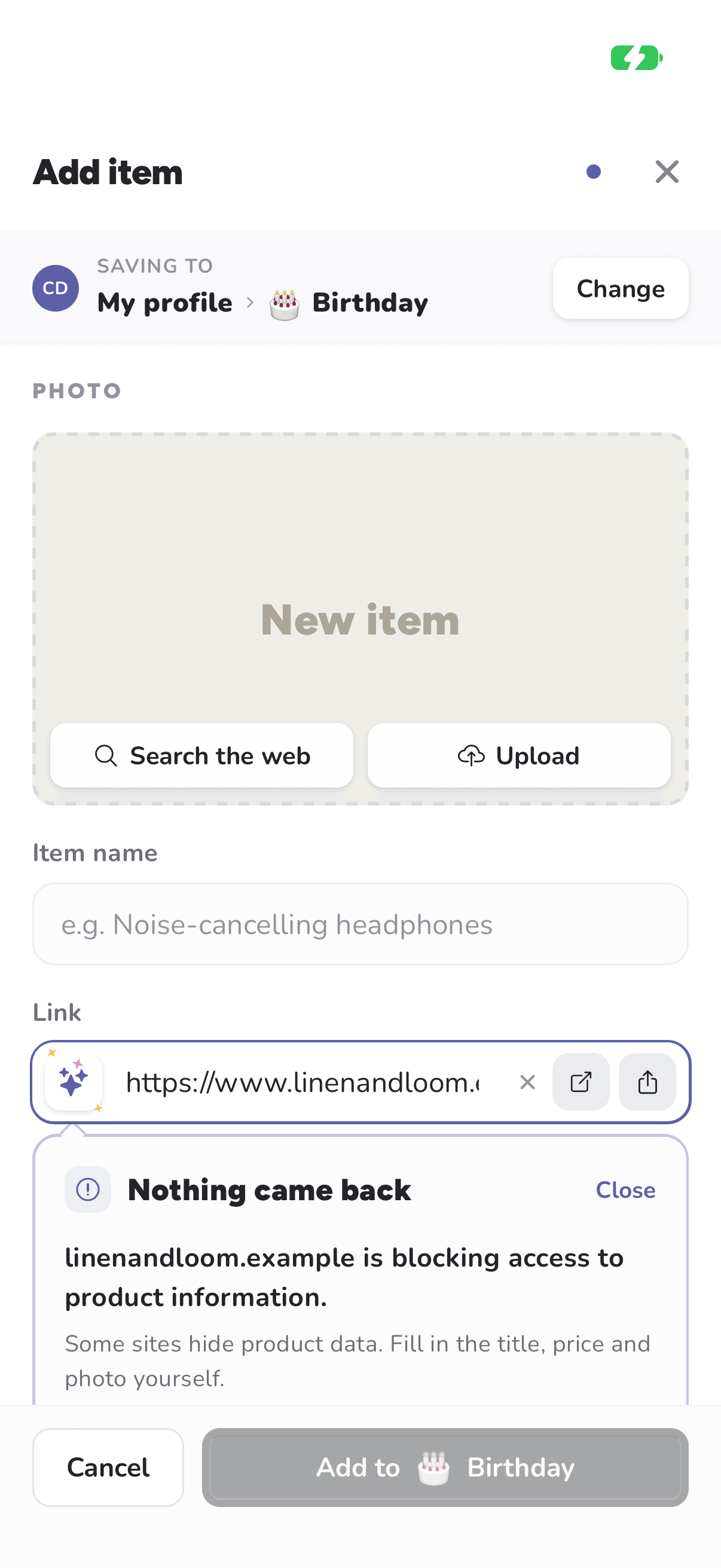
Type the item's name and price yourself.
For a photo, tap Search the web to find one by the item's name, or Upload to use one from your phone. Then tap Add to your list.
The link is saved either way, so whoever buys the gift can still go straight to the shop.
Related articles
Was this helpful?